%20Bold.png)
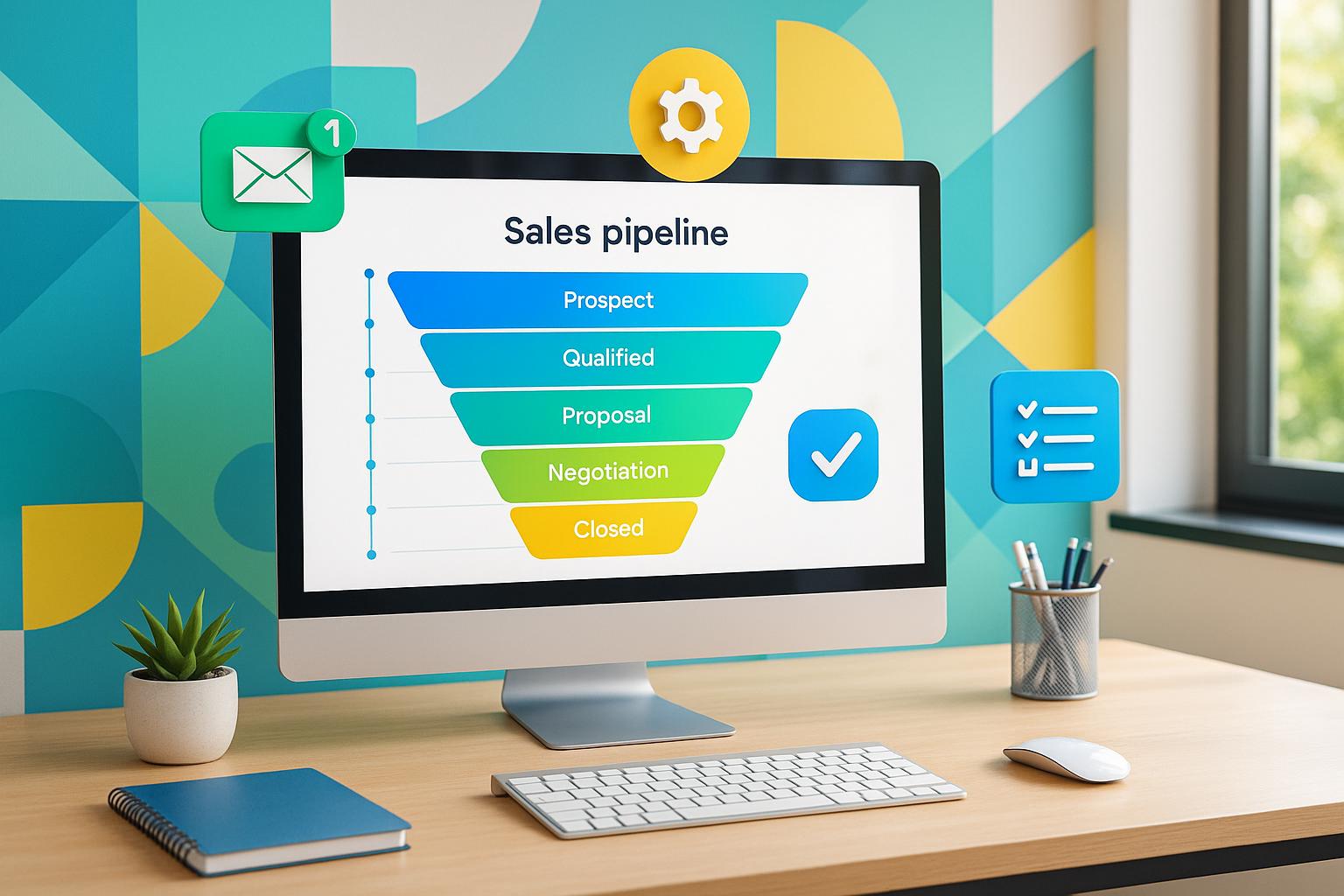
Workflow automation eliminates repetitive tasks, allowing sales teams to focus on closing deals and building relationships. By automating lead assignments, follow-ups, and CRM updates, businesses can save time, reduce errors, and improve efficiency. Studies show that companies using automation see a 10-15% boost in productivity and a 5-10% increase in revenue. Here's what automation can do for your sales process:
Automation transforms how sales teams work, replacing manual tasks with efficient workflows that drive faster deal closures and better results. Start by analyzing your current processes, selecting the right tools, and testing small-scale workflows before scaling up.
Workflow automation in sales leverages software to take over repetitive, time-consuming tasks, freeing up your team to focus on what really matters. Instead of sales reps manually entering data, assigning leads, scheduling follow-ups, or updating pipeline stages, automation handles these tasks according to pre-set rules and conditions.
For instance, if a lead fills out a form on your website, the system can instantly assign that lead to a sales rep and send out a welcome email. This process uses conditional logic to guide prospects through your sales pipeline without constant human oversight.
Unlike broader business automation, sales workflow automation zeroes in on tasks that directly impact revenue. It covers the entire customer journey - from the moment a lead enters your system to closing the deal - eliminating bottlenecks that slow down sales cycles. Automation connects tools like your CRM, email, phone systems, proposal software, and analytics platforms, ensuring smooth data flow at every touchpoint.
By automating these processes, sales reps no longer need to manually track follow-ups or deal transitions. The system handles these tasks instantly, allowing your team to focus on activities that drive revenue, such as building relationships, closing deals, upselling, and weeding out unqualified leads.
The contrast between manual and automated workflows becomes obvious when you look at how routine sales tasks are handled.
Manual workflows rely on human input at every step, while automation takes care of assignments, follow-ups, and CRM updates in real time.
Here’s a quick comparison of how the two approaches stack up:
| Aspect | Manual Workflows | Automated Workflows |
|---|---|---|
| Lead Assignment | Leads routed manually by a manager | Instantly assigned based on set rules |
| Follow-up Tasks | Reps track and schedule manually | Automated email sequences and reminders |
| Data Entry | Prone to human error | Automatically captured and verified |
| Response Time | Delayed due to manual steps | Immediate and consistent |
| Lead Prioritization | Based on subjective judgment | Driven by data and engagement metrics |
| Administrative Burden | High - cuts into selling time | Minimal - frees reps for high-value tasks |
| Consistency | Varies by individual | Standardized across the team |
| Scalability | Limited by team size | Scales without adding headcount |
Automation doesn’t just save time - it also reduces errors in critical areas like proposals, contracts, and quotes. Automated calculations and document generation ensure accuracy, and sales teams often report fewer manual follow-up tasks. Companies also see higher email response rates and more scheduled appointments for their sales teams.
Next, let’s dive into how these automated workflows integrate seamlessly with your CRM to further streamline your sales process.
Your CRM acts as the backbone of workflow automation. When a new lead comes in - whether from a website form, social media, chat, or phone call - the CRM doesn’t just store the data. It triggers a series of automated actions.
For example, the system can instantly assign the lead to the right sales rep, kick off personalized email campaigns, update the lead’s progress in real time, and create tasks for the assigned rep - all without anyone having to lift a finger.
The real power of automation lies in its ability to integrate seamlessly across your sales tech stack. Modern CRM systems connect with lead scoring tools, accounting software, phone systems, web analytics, and proposal platforms, ensuring that data flows smoothly between them. For instance, if a prospect opens an email, visits your pricing page, or downloads a case study, that activity is automatically logged. This can trigger follow-up actions like notifying the assigned rep or adjusting the lead’s score.
This level of integration eliminates the problem of siloed information. Instead of having sales, marketing, and financial data scattered across different systems, everything syncs up, giving your team a single, real-time source of truth for every deal.
The system can also score leads based on engagement, company size, industry, and behavior. AI-powered tools can even pre-qualify leads by asking targeted questions and filtering out those that aren’t a good fit, so your team only spends time on high-potential prospects.
For sales managers, CRM automation provides real-time dashboards that offer complete visibility into the sales funnel. No need to wait for weekly reports or manually pull data from spreadsheets - managers can quickly see deal statuses, identify bottlenecks, and get automated alerts when key metrics fall short or deals are at risk.
Workflow automation transforms every stage of the sales process by removing bottlenecks and standardizing tasks. This not only speeds up deal closures but also provides a clearer view of your pipeline, making it easier to identify what’s working and what’s not.
The benefits shine in three key areas: managing leads, improving team productivity, and gaining real-time visibility into your pipeline.
Every lead represents potential revenue - if it reaches the right sales rep quickly. Automation ensures that inquiries from chat, forms, and social media are captured in real time and seamlessly added to your sales pipeline.
Leads are assigned to sales reps instantly based on pre-set criteria like engagement level, company size, industry, or location. No more waiting hours or days for manual reviews. AI-powered tools can even qualify leads on the spot, asking targeted questions and filtering out prospects that don’t meet your requirements. This means your reps can focus their energy on high-potential opportunities.
Automated lead scoring takes it a step further, ranking prospects based on their actions and fit. For instance, if someone visits your pricing page multiple times, downloads a case study, and interacts with follow-up emails, the system flags them as a priority. Your rep gets notified and can act immediately, rather than wasting time on less-engaged leads.
Automation also keeps follow-ups consistent, ensuring no qualified lead gets overlooked. From the first touchpoint to the final deal closure, prospects stay engaged.
With better lead management in place, automation also tackles the repetitive tasks that eat into your team’s time. When reps spend hours on data entry, scheduling follow-ups, and updating pipelines, they aren’t selling. By automating these tasks, your team can focus on what truly drives revenue - building relationships, closing deals, and identifying upsell opportunities.
Companies that adopt sales automation often see a 10-15% boost in efficiency and a 5-10% increase in revenue. These gains come from eliminating time-intensive tasks like manually assigning leads, updating CRM records, or creating reports from scratch.
For example, instead of spending an hour each morning updating deal stages or scheduling calls, reps can dive straight into conversations with prospects. Follow-ups are triggered automatically based on predefined actions, saving time and ensuring consistency.
Automation also minimizes errors in proposals, quotes, and contracts. By pulling data directly from your CRM, the system ensures pricing, terms, and deliverables are accurate and up-to-date. This not only prevents delays but also protects your credibility with clients.
Sales managers benefit as well. When the team isn’t bogged down with admin work, managers can shift their focus to higher-level tasks like refining sales strategies, coaching team members, and exploring new market opportunities - rather than chasing down status updates or compiling reports.
Beyond boosting productivity, automation offers a real-time, accurate view of your entire sales pipeline. Managers can access dashboards that provide instant insights into deal statuses, engagement metrics, and forecasts - no need to wait for weekly reports or manually sift through data.
This level of visibility highlights exactly where deals are in the pipeline, which prospects are actively engaging, and where potential bottlenecks are forming. For example, if multiple deals are stuck at the proposal stage, you can quickly identify whether pricing, contract terms, or competitor comparisons are causing delays. If leads are moving smoothly to demos but stalling afterward, you know where to focus your efforts.
Real-time alerts and data tracking also allow for immediate action. If a prospect visits your pricing page or downloads a case study, your rep gets an instant notification, enabling timely follow-ups tailored to the buyer’s behavior.
Managers can set automated alerts for specific metrics. For instance, if a high-value deal hasn’t had activity in 10 days or if a rep’s conversion rate dips below the team average, the system flags it. This allows for quick interventions like targeted coaching or re-engaging stalled opportunities before they impact results.
For businesses with longer sales cycles, this visibility is especially important. Automation helps track complex deals with multiple stakeholders, showing which decision-makers are engaged and where deals might be at risk. With everyone working from the same centralized data, discrepancies between sales, marketing, and finance are eliminated, leading to more accurate forecasts and better alignment across teams.
These actionable insights not only help diagnose performance issues but also provide a foundation for evaluating the return on investment in automation, ensuring your pipeline continues to improve.
Turning the idea of workflow automation into a reality takes a thoughtful, step-by-step approach. Once you understand the advantages, the next step is to put it into action. Here's how to get started.
The process involves three key phases: analyzing your current sales processes, selecting the right tools, and testing before rolling them out on a larger scale.
Before diving into automation, take a close look at your current sales workflow. Map out every step, from lead entry to deal closure. Identify who is responsible for each task, how long it takes, and where repetitive actions occur.
The key is to spot tasks that are repetitive and time-consuming but follow a predictable pattern - these are the best candidates for automation. Examples include lead assignments, scheduling follow-ups, updating CRM records, sharing documents, and managing contract approvals.
Once you've identified these tasks, create a prioritized list based on their potential to save time and reduce manual effort. Use this review as a baseline to measure the impact of automation later. Track metrics like response times to new leads, the administrative workload for each sales rep, and how long deals stay in each stage of the pipeline. After implementing automation, you can compare these figures to see the improvements.
With a clear understanding of your current processes, you’ll be ready to choose the tools that fit your needs.
The next step is choosing a platform that integrates well with your existing systems, like your CRM, email, marketing, and phone tools. Seamless integration ensures a smooth flow of data across platforms.
Focus on tools that address the specific needs identified during your process review. For instance, look for features like automated lead scoring to prioritize high-value prospects, real-time analytics for better visibility into your sales pipeline, and automated lead assignment based on set criteria. The platform should also support capturing leads from multiple sources - such as chat, forms, and social media - and feeding them directly into your pipeline.
Scalability is another critical factor. As your business grows, your automation tools should grow with you. Look for platforms with strong reporting features that track key metrics like email response rates, appointment setting rates, and conversion ratios. These insights will help you measure the results of your automation efforts and make data-driven decisions.
Even the most well-designed automation plan needs real-world testing before you fully implement it. Start small - automate one specific workflow or process rather than trying to overhaul everything at once. Use a pilot group of sales reps or focus on a particular segment of leads to test how well the automation works. This approach minimizes risk and gives you a chance to refine your workflows based on real results.
During testing, keep a close eye on performance metrics like email response rates and lead-to-appointment conversion rates. Pay attention to how much time your team is saving and watch for any issues, such as leads being assigned incorrectly or follow-ups happening at the wrong time. Collect feedback from your sales team to ensure the automation is genuinely helping rather than creating new challenges.
You can also use A/B testing to experiment with different approaches within your automated workflows. For example, test variations in email timing, messaging, or lead assignment criteria to see what delivers the best results. Use the data to fine-tune your automation rules. If certain email sequences generate better responses or specific lead assignment rules improve conversion rates, adjust your workflows accordingly.
Once your pilot program shows measurable improvements, you can gradually expand the automation to other teams or processes. Keep monitoring performance and gathering feedback as you scale. Regular reviews will help ensure your automation stays aligned with your business goals and adapts to changes in your strategy or market.
Automation doesn’t just streamline processes - it also provides measurable proof of its impact. By focusing on the right metrics, you can clearly see how automation improves your sales pipeline and delivers tangible results.
To truly understand the value of automation, focus on metrics that tie directly to revenue and efficiency:
You can also track other key performance indicators (KPIs) like email response rates, appointment setting rates, and MQL-to-SQL conversion ratios. These metrics help ensure your automated outreach is engaging prospects effectively. With this data, you’ll know exactly where your pipeline is thriving - and where it’s slowing down.
Automation not only enhances performance but also shines a light on problem areas in your sales pipeline. By analyzing the data, you can pinpoint stages where deals tend to stall.
For instance, if leads typically move to qualification in two days but your data reveals a seven-day delay, you’ve uncovered a bottleneck. This could point to overly complex qualification criteria or a need for better training on your tools.
Monitoring task completion rates is another way to catch inefficiencies. If automated follow-ups aren’t happening or emails aren’t being sent on time, it might be time to revisit your automation rules. Similarly, if leads remain unassigned for too long, your lead routing settings may need adjustment.
Approval processes are another area worth examining. If contracts or proposals are consistently delayed, consider streamlining the approval workflow or empowering more team members to move deals forward without waiting for additional sign-offs.
Lastly, use CRM analytics to compare performance across your team. If certain sales reps experience longer sales cycles, targeted coaching or adjustments to lead handling could help. Don’t overlook handoff delays between marketing and sales - automation is designed to make these transitions seamless.
Identifying bottlenecks is just the beginning. To fully understand the value of automation, you need to calculate its return on investment (ROI).
Start by adding up your total costs, which might include software licenses, implementation fees, training, and customization expenses.
Next, calculate the financial benefits. For example, if automation saves a sales rep five hours of admin work per week and that rep earns $50 per hour, that’s about $13,000 in annual labor savings per rep.
Then, look at the revenue impact. Compare sales figures before and after automation. If automation helps your team close 20% more deals or speeds up deal closures by 30%, calculate the additional revenue generated. For instance, if your team’s monthly revenue grows from $500,000 to $650,000 due to automation, that’s an extra $1.8 million annually.
Reduced errors are another benefit, as they lower the risk of lost deals and compliance issues.
The ROI formula is simple: (Total Benefits - Total Costs) ÷ Total Costs × 100.
Most businesses start to see positive ROI within 6–12 months of implementing automation. Track these metrics monthly for at least six months. While early results might fluctuate as your team adjusts, steady improvements over time will confirm the value of your investment.
Let’s dive into some real-world examples of how workflow automation can transform sales processes and drive efficiency.
Picture this: a prospect fills out a form on your website, clicks a chat button, or sends a message through social media. Instantly, automation springs into action, capturing the lead and routing it to the right sales representative. This system uses specific criteria - like location or industry - to ensure the lead lands in the hands of the most suitable rep.
For example, a commercial real estate firm might automatically assign inquiries from the Northeast to the appropriate regional representative. Meanwhile, an automated chatbot or AI agent can jump in to ask qualifying questions, such as the prospect's budget, timeline, or decision-making authority. This pre-qualification step ensures that your sales team only spends time on leads worth pursuing.
Automation doesn’t stop there. Lead scoring takes things further by ranking prospects based on their likelihood to convert. The system evaluates factors like company size, engagement history, and prior interactions to assign a score. High-priority leads go straight to senior reps, while others enter a nurture sequence until they’re ready for direct engagement.
The outcome? Every lead is accounted for, and your team focuses on conversations that matter most.
Consistent follow-up is a cornerstone of successful sales, but it’s also a time drain. Automation solves this by maintaining regular engagement with prospects - without requiring constant manual input.
As soon as a lead enters your pipeline, the system triggers a series of personalized follow-ups based on their behavior. For instance:
These sequences adapt to the prospect’s actions. For example, if someone opens an email but doesn’t click any links, they might receive a different follow-up than someone who actively explores your website. If a prospect visits your pricing page, the system can notify the assigned sales rep, prompting them to schedule a follow-up call the next business day.
Companies using integrated pipeline management tools often report faster response times and higher close rates. In fact, automating follow-ups and communication can boost conversion rates to first meetings to as much as 5%. By ensuring timely, relevant communication, automation keeps prospects engaged and prevents them from slipping through the cracks.
But automation doesn’t just stop at nurturing leads - it also plays a key role in advancing deals.
When a lead transitions into an active opportunity, automation ensures smooth progression through every stage of the pipeline, eliminating manual delays and handoffs.
For instance, when a deal moves forward, the system automatically updates the CRM, notifies the team, and schedules the next tasks. This keeps everything on track without requiring extra effort from your sales team.
Automation also simplifies document sharing and contract approvals. Instead of manually emailing contracts back and forth or chasing sign-offs, the system routes documents to the right stakeholders and tracks their status in real time. If a contract remains unsigned, automated reminders nudge the process along.
With real-time status updates, managers gain full visibility into the sales funnel, making it easier to identify and address bottlenecks. By taking care of administrative tasks - like updating records, scheduling follow-ups, and generating reports - automation frees up sales reps to focus on high-impact activities, such as building relationships and closing deals.
Companies leveraging these tools often see results within just 7–14 days, with a steady flow of qualified meetings with decision-makers who meet their criteria.
At Visora, we implement these strategies - using tools like our proprietary B2B Vortex Funnel and AI-Augmented Appointment Setting - to create streamlined, growth-focused sales pipelines. Automation isn’t just a time-saver; it’s a game-changer for any sales team looking to maximize efficiency and results.
Workflow automation transforms cumbersome, error-prone tasks into streamlined, data-powered processes. The result? Shorter sales cycles, improved conversion rates, and more precise forecasting.
These benefits touch every part of the sales pipeline. Automated lead routing ensures no prospect slips through the cracks, intelligent scoring highlights the most valuable opportunities, and deal progression automation eliminates time-draining administrative tasks. Plus, real-time visibility across the sales operation allows managers to spot bottlenecks, provide targeted coaching, and make smarter decisions about allocating resources.
To harness these advantages, start by evaluating your current workflows to identify areas ripe for automation - common starting points include lead management, follow-ups, and deal tracking. Use free trials to test solutions before committing, and begin with one or two automations. Track results against clear KPIs, and expand on what delivers the best outcomes. These steps enable B2B leaders to stay ahead by leveraging automation effectively.
For industries like commercial real estate, financial services, and investor relations, the competitive edge is undeniable. Companies relying on manual processes simply can’t match the speed, consistency, and scalability that automation offers. Platforms such as Visora exemplify this, showcasing how a well-integrated B2B Vortex Funnel paired with AI-Augmented Appointment Setting can drive scalable pipeline growth. Their approach builds these capabilities in just 12 weeks, delivering predictable results without increasing headcount or ad spend.
In today’s fast-paced market, workflow automation is no longer optional - it’s essential for building a scalable, reliable sales operation that delivers tangible results. The real question isn’t whether to automate, but how quickly you can implement the systems your team needs to succeed.
To make sure your current CRM system works seamlessly with new workflow automation tools, start by checking if the two platforms are compatible. While many automation tools are built to integrate with popular CRM systems, it's crucial to confirm they can sync data and processes without any hiccups.
Then, take a close look at your sales pipeline. Pinpoint areas where automation could take over repetitive tasks or boost efficiency. This step is key to configuring the tools in a way that complements your business operations. Partnering with your IT team or a reliable advisor can also help you set things up correctly and minimize any potential disruptions.
Finally, don’t skip testing. Run the integration through its paces before rolling it out to your entire team. Fixing any issues during the testing phase will ensure a smoother experience for both your sales and operations teams.
To figure out which tasks are ideal for automation, begin by identifying those repetitive, time-consuming activities that don’t rely heavily on human judgment. Think along the lines of lead qualification, sending follow-up emails, or handling data entry.
Then, consider how automating these tasks could impact your sales pipeline. Look for opportunities to boost efficiency, reduce errors, or give your team more time to focus on high-value efforts - like closing deals or building client relationships.
Lastly, zero in on processes that support your sales objectives and can integrate effortlessly with your current tools or systems. This approach ensures a smooth implementation and delivers measurable benefits for your team.
Workflow automation can significantly improve your return on investment (ROI) by simplifying processes, saving valuable time, and increasing lead conversion rates. For instance, many businesses report quicker lead engagement, with initial meetings often being scheduled within just 7 to 14 days after implementing automation.
On top of that, automated campaigns typically generate 10 to 30 qualified calls per month from ideal customer profile (ICP) leads. If your average client value is over $10,000, closing just one deal could cover the cost of automation for an entire quarter. By cutting down on manual tasks and fine-tuning sales efforts, workflow automation not only enhances efficiency but also drives meaningful revenue growth.
%20(5).png)
