%20Bold.png)
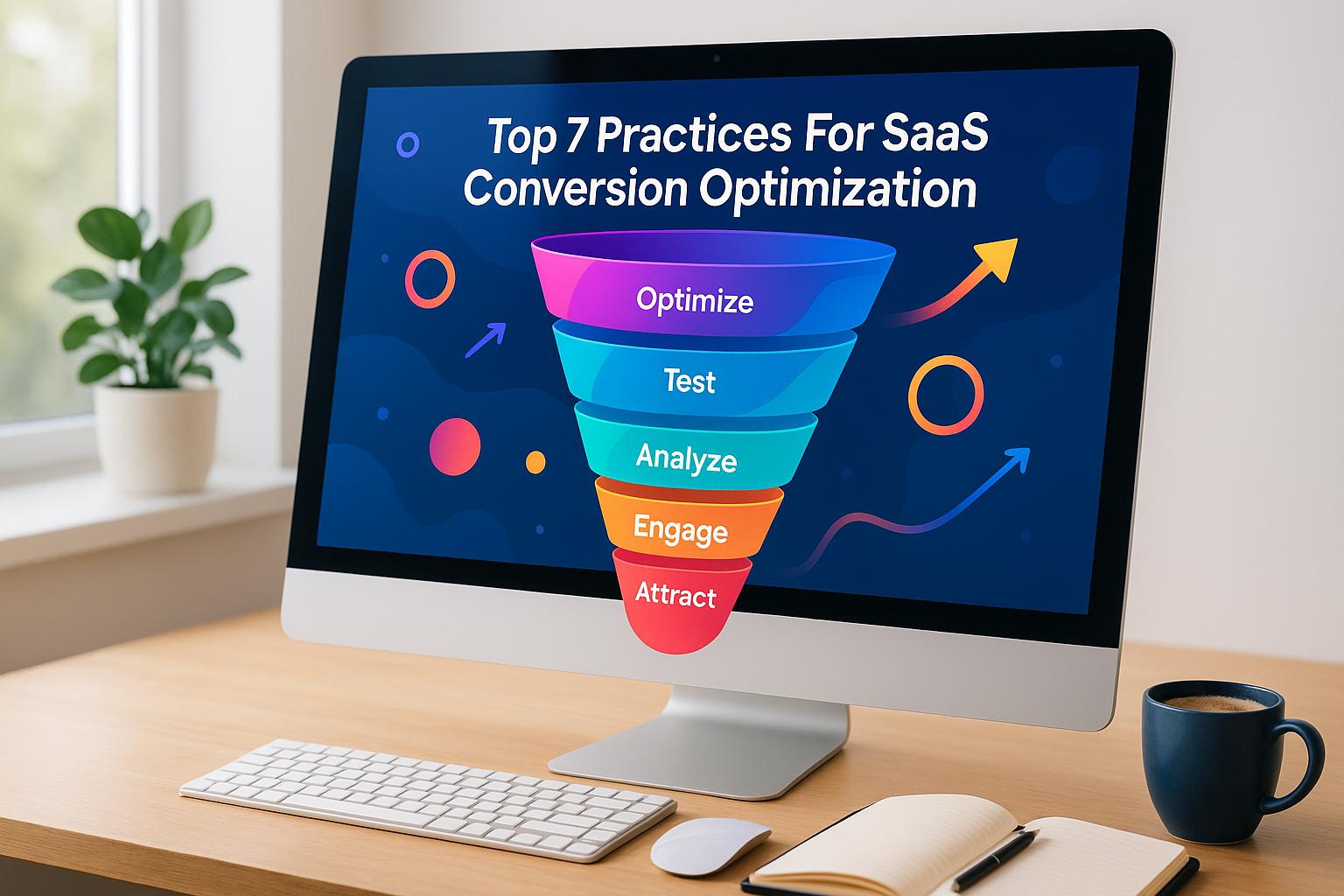
Boosting your SaaS conversion rate is all about turning visitors into paying users without increasing your ad budget. For example, raising your conversion rate from 2% to 3% could mean a 50% revenue increase - all from your existing traffic. The key? Fixing the small, overlooked issues that drive users away. Here’s a quick breakdown of the 7 best practices to optimize conversions:
These tactics work together to improve user experience, reduce friction, and drive more signups. Start with quick wins like speeding up your site and simplifying forms, then move to advanced strategies like A/B testing and behavioral triggers. Every small improvement adds up to big gains in conversions and revenue.
Before making any changes to your website, it’s crucial to pinpoint what’s not working. Many SaaS companies dive into redesigns or implement new tools without first identifying key issues - essentially trying to repair a car engine without even popping the hood.
Start your conversion audit with a technical analysis. Check your page load speeds - ideally, your site should load within three seconds to avoid losing visitors[4]. Tools like Google PageSpeed Insights can help you spot problems like uncompressed images, bulky JavaScript files, or sluggish server response times. Also, make sure your analytics tools are properly configured and tracking the right events. After all, if you can’t measure it, you can’t improve it.
Next, map out your entire conversion funnel, from the first visit to becoming a paying customer. Use heat maps to understand click and scroll patterns, and session recordings to uncover real user behaviors. These tools can reveal moments of confusion or frustration that raw metrics might miss. Form analytics can also highlight problem areas in your signup process. For instance, asking for payment details too early might discourage users from completing their registration.
Track key metrics like the conversion rates from visitors to free trials, free trials to Product-Qualified Leads (PQLs), and PQLs to paying customers. For context, the benchmark for PQL-to-paying customer conversion is typically between 20% and 40%[7]. Identifying where revenue leaks occur in this journey can guide your next steps.
Competitive benchmarking is another essential part of your audit. Study competitors’ pricing models, feature positioning, and signup flows. This isn’t about copying - it’s about understanding what potential customers expect. If your signup process feels clunky compared to others, it could be a major reason behind lower conversion rates.
Finally, use your signup flow to gather data about users’ goals. By analyzing which user segments convert at higher rates and identifying shared traits, you can adjust your messaging to attract the right customers. This approach shifts your focus from simply driving traffic to engaging prospects who are more likely to convert. A thorough audit like this sets the stage for targeted improvements that can significantly boost your conversion rates.
While the audit itself doesn’t directly increase conversions, it ensures you’re addressing the core issues rather than wasting time on superficial fixes. For example, analyzing conversion rates across devices can highlight usability challenges that specific user segments might face, allowing you to prioritize impactful changes.
Some audit components are easier to implement than others. Tools like heat maps and session recordings often just require adding a single code snippet, while Google PageSpeed Insights doesn’t need any installation at all. However, form analytics might require more developer involvement to track interactions with individual fields accurately.
Although a comprehensive audit takes time - typically one to two weeks - it’s worth the effort. This process includes technical analysis, user experience evaluation, competitive research, and data collection. The upfront investment helps you avoid the costly mistake of optimizing areas that don’t actually need fixing.
Conversion audits are flexible and can grow with your business. Tailor your audit to your growth model: product-led companies might focus on self-serve activation milestones, sales-led organizations on generating qualified leads, and hybrid models on streamlining handoffs between product and sales teams.
Set benchmarks during your initial audit and track performance against them quarterly or after major updates. This iterative, data-driven approach keeps you aligned with changing user behaviors and market trends, ensuring your optimization efforts remain effective as your SaaS business evolves.
When it comes to website performance, speed isn’t just a luxury - it’s a necessity. If your site takes more than three seconds to load, visitors are likely to leave and check out your competitors instead. For SaaS companies, this is especially critical. A slow website can give potential customers the impression that your product might be just as sluggish.
Slow-loading pages not only frustrate visitors but also lead to higher bounce rates and lower conversions[4]. SaaS audiences, in particular, expect quick, seamless experiences - it’s practically a promise of the industry.
Here are some practical ways to improve your site’s loading time and overall technical performance:
These improvements not only enhance user experience but also set the stage for better conversion rates.
A fast website doesn’t just impress visitors - it directly impacts your bottom line. Speed optimization ensures that all your other strategies, like compelling calls-to-action or personalized content, can actually be seen and experienced by your audience. If your site is slow, even the best-designed elements won’t matter because visitors won’t stick around to see them.
Here’s how speed affects different stages of the funnel:
The financial impact of faster load times becomes clear when you consider the numbers. Even a modest 10-20% boost in conversion rates, combined with your average customer lifetime value, can translate into substantial revenue growth[4].
Improving your site’s speed doesn’t have to be a massive undertaking. Many of these changes are straightforward and require minimal technical effort:
For SaaS teams with limited technical resources, many hosting providers offer these optimizations as part of their service. No-code solutions can also simplify the process, making it easier to prioritize high-impact changes.
As your traffic grows, maintaining speed becomes even more important. CDNs naturally handle increased traffic by distributing the load across their network of servers[6]. Browser caching continues to reduce server strain, no matter how many visitors you attract.
For larger user bases, optimizing database queries and adopting progressive enhancement strategies can make a big difference. This approach ensures that essential site features load first, with additional elements appearing in the background. It’s a smart way to cater to users with slower connections while still delivering a full experience.
To keep your site running smoothly as it evolves, regular monitoring is key. Performance can degrade over time as new features are added or third-party scripts accumulate. Set performance budgets to prevent regressions and audit tools like analytics widgets or chat plugins to ensure they aren’t slowing things down.
Once you've optimized the technical aspects and speed of your platform, the next step is to make your signup process as seamless as possible. A clunky or overly complicated signup form can discourage potential users, leading to lost opportunities. Every extra field in a form adds friction, and unnecessary friction leads to fewer conversions.
The goal is straightforward: let users create an account and start using your product with minimal effort. Studies show that removing even a single unnecessary field can boost conversion rates by 5–10% [6]. Streamlining this process is a key move to maximize conversions for your SaaS platform.
The relationship between the number of fields in your signup form and the completion rate is simple: the more fields you have, the more likely users are to abandon the process. This is especially true for mobile users, where smaller screens and touch keyboards make filling out forms even more tedious.
To keep things simple, ask only for the essentials - usually just an email address and password. Details like company name, job title, or how they plan to use your product can be gathered later during onboarding or through progressive profiling.
Adding social login options, such as Google, LinkedIn, or Microsoft, can further reduce friction by eliminating the need for users to create new credentials [6]. Features like real-time validation, which confirms correct inputs as users type, and clear error messages also improve the overall experience.
For multi-step forms, use a progress bar to show users where they are in the process (e.g., Account Setup, Profile, Preferences, Complete). This helps set clear expectations and keeps users engaged [6].
Beyond just capturing leads, the signup process is also an opportunity to gather useful insights about your users. By including one or two strategic questions - like "What's your primary goal?" or "How big is your team?" - you can segment users and personalize their onboarding without adding much friction [7].
Improving your signup process doesn’t have to be a heavy lift. Many changes can be implemented quickly and with minimal resources. Here’s how to get started:
These adjustments not only make registration easier but also set the stage for a smoother onboarding experience.
After signup, the onboarding process becomes critical. Users should receive a clear confirmation of their account creation, know what to do next, and have a direct path to start using the product. A well-designed thank-you page can guide them to the dashboard and offer quick tips on getting started.
As your user base grows, a streamlined signup process becomes increasingly important. Even small improvements in your conversion rate can lead to significant revenue growth when scaled across thousands of users.
Integrating your signup flow with a CRM system can automate much of the process. For example, you can segment users based on the details they provide, trigger personalized email sequences, and route qualified leads directly to your sales team.
Tailoring onboarding flows for different user segments is another way to enhance the experience. First-time users often need more guidance, while returning users prefer quicker access to core features. By tracking user behavior, you can measure metrics like time-to-complete onboarding and feature adoption rates, then refine the experience for each segment [3].
Feature-gating is another effective strategy. Instead of overwhelming new users with every feature at once, reveal functionality progressively as they engage more with the product. Some SaaS companies even use reverse trials, temporarily granting access to premium features during the trial period. This lets users experience advanced capabilities firsthand, increasing the chances they’ll see the value and choose to upgrade [3].
Analytics are essential for continuous improvement. Monitor metrics like signup completion rates, onboarding time, and feature adoption during the first session. Tools like session recordings and heat maps can help identify where users encounter friction or drop off [5].
To prioritize improvements, use an impact–effort matrix. Focus on quick wins - changes that deliver high impact with minimal development effort. For example, simplifying form fields, adding progress indicators, or improving error messages can often be implemented within weeks and yield immediate results. More complex projects can be tackled later, based on their potential to drive significant gains. Tracking these changes will help you refine the process over time and ensure ongoing optimization.
Once you've refined your signup and onboarding processes, it's time to figure out where users are dropping out of your conversion funnel. Funnel analysis breaks down each step of your customer journey - from landing on your site to signing up, starting a trial, and eventually converting. This method helps pinpoint exactly where users exit, so you can focus your efforts on the areas that need the most attention.
For example, if 40% of users abandon your multi-step signup form but only 10% drop off after completing it, you know where to start making changes. Whether users are leaving on the homepage, during signup, or after trial initiation, funnel analysis provides clarity.
Funnel analysis directly impacts conversion rates by identifying the most critical drop-off points. Common problem areas include:
By studying these patterns, you can diagnose the root causes - whether it’s unclear messaging, a frustrating user experience, or technical glitches. For instance, if users abandon your pricing page, it might not be the price itself but rather confusion about what each tier offers. If they’re leaving during signup, maybe the form is too long or error messages are hard to understand.
The financial impact of fixing these drop-offs can be huge. To estimate potential gains, multiply the drop-off percentage at each stage by your average customer lifetime value. For example, a 30% drop-off at the signup stage affecting 1,000 monthly visitors has a much larger financial impact than a 10% drop-off at the pricing page affecting 100 visitors.
Segmenting your funnels can provide even deeper insights. First-time users, who are still exploring your product, often drop off at higher rates than returning users who are already familiar with its value. Similarly, traffic sources matter - users coming from Google ads might behave differently than those arriving via email campaigns or social media.
By analyzing segments separately, you can determine whether drop-offs are universal or specific to certain user groups. This allows you to make targeted changes rather than applying broad fixes that might help one group but hurt another.
Starting with funnel analysis doesn’t have to be complicated. Begin by establishing a baseline. Use analytics tools to track your current conversion rates for key actions like trial signups, demo requests, or newsletter subscriptions. This gives you a clear point of reference for measuring improvements.
Dive deeper with tools like heat maps and session recordings. Heat maps show where users click, scroll, and spend time, helping you understand if they’re engaging with key elements like CTAs or value propositions. For instance, if 60% of users scroll past your main CTA without clicking, it’s a clear sign that the design or placement needs adjustment.
Session recordings provide even more detail by showing how users navigate your site, where they hesitate, and what confuses them. You might notice users scrolling back and forth on your pricing page, struggling to understand the differences between tiers. This kind of insight reveals usability issues that raw conversion data alone can’t explain.
Combine these tools with A/B testing for a comprehensive approach. For example, if you simplify a signup form by removing unnecessary fields, test the updated version against the original to see if it improves completion rates. Run tests long enough to achieve statistical significance, and focus on one variable at a time to isolate its impact.
As your business grows, funnel analysis becomes even more valuable. Small improvements in conversion rates can lead to significant revenue gains when applied across a larger user base. To prioritize your efforts, use an impact-effort matrix. Quick wins - like reducing form fields, adding progress indicators, or clarifying error messages - can often be implemented in weeks and deliver immediate results. Save more complex changes for later.
Funnel analysis also helps you tailor your approach as you scale. For example, if enterprise buyers drop off at the pricing page because they need custom quotes, create a dedicated landing page with a "Contact Sales" CTA. On the other hand, if small business users feel overwhelmed during onboarding, design a simpler flow that highlights only the most essential features.
Traffic source analysis can guide similar customizations. If someone clicks on a Google ad about "advanced analytics", make sure they land on a page emphasizing those capabilities rather than a generic homepage. Aligning the landing page experience with the message that brought users in reduces friction and drop-offs.
Another effective tactic is offering a reverse trial. Instead of restricting premium features behind a paywall, grant temporary access during the trial period. Letting users experience the product’s value firsthand often results in higher conversion rates. People are more likely to commit when they’ve already seen the benefits for themselves.
Finally, set up weekly reports to track key funnel metrics like booked meetings, pipeline value, and conversion rates at each stage. Automated CRM systems can help monitor customer journeys and spot emerging drop-off trends. This proactive approach ensures small issues don’t turn into major revenue losses.
To address why prospects may hesitate to commit, it's essential to build trust. People need to feel confident that your SaaS solution is both secure and effective. Trust signals and social proof provide that reassurance by showing that other businesses have successfully used your product and that their data is safe.
Trust signals come in various forms - security badges, SSL certificates, compliance certifications, customer testimonials, case studies, and clear privacy policies. Each of these elements works to ease user hesitation. When combined, they create a solid foundation for improving conversion rates, as detailed below.
Trust signals play a direct role in whether visitors take action on your site. For SaaS companies, the typical conversion rate from website visitors to free trials hovers between 2–5%. By strategically placing trust elements, you can improve these numbers significantly[9]. When users hesitate to share personal or payment details, visible security measures can help ease their concerns.
Testimonials featuring real names, photos, and measurable results - like "Reduced onboarding time by 60%" or "Generated $150K+ in pipeline" - add credibility and build confidence. Similarly, compliance certifications such as SOC 2 Type II, ISO 27001, GDPR, or HIPAA demonstrate a commitment to data protection and industry standards. Displaying these certifications prominently on key pages like your homepage, pricing sections, signup forms, and checkout pages can reduce doubts and keep users moving through the funnel.
Price transparency is another trust-building tool. Surprise charges are a common reason for cart abandonment. By clearly listing all costs upfront, including taxes, fees, and additional charges, you can prevent sticker shock and encourage users to complete their purchase.
When users see visible security assurances and success stories from businesses like theirs, they’re more likely to complete signup forms and take the next step - even if they were initially hesitant.
Adding trust signals doesn’t have to be complicated. Here’s how you can integrate them effectively:
As your SaaS company grows, trust signals become even more valuable. They reduce the need for intensive sales outreach by allowing prospects to self-qualify based on the confidence they gain from visible social proof and security assurances.
Establish a system for regularly collecting testimonials and success stories as you acquire new customers. Simple requests or automated tools can help gather user-generated content and customer logos. Organize case studies by industry or company size so prospects can easily find examples relevant to their needs.
Investing in security certifications like SOC 2 Type II may require upfront effort, but they pay off in the long term. These certifications don’t need frequent updates and can be displayed indefinitely, signaling to enterprise buyers that you take data security seriously.
Monitor metrics like conversion rates, form completions, and bounce rates to measure the effectiveness of your trust signals. Tools like A/B testing, heatmaps, and session recordings can help you refine their placement and design. When personalizing user experiences based on behavior or traffic sources, be transparent about data collection practices. This balance between personalization and privacy strengthens trust while boosting conversion potential - aligning with the broader strategies discussed throughout this guide.
A/B testing makes conversion optimization a measurable and actionable process. By testing different versions of key elements, you can let actual user behavior guide your decisions. At Visora (https://visora.co), these techniques are a core part of our acquisition strategies, delivering data-backed outcomes at scale.
The concept is simple: create two or more variations of an asset - like a webpage, email, or landing page - and test them simultaneously. By comparing how each version performs, you can make decisions based on real-world data. This approach works seamlessly with behavioral triggers, which engage users at critical moments, helping guide them through your funnel at just the right time.
The results of A/B testing are clear when you track specific metrics. For example, if one onboarding variation leads to a 20% faster completion rate, you’ve uncovered a measurable improvement that can be scaled further [3]. These small wins add up over time, significantly boosting overall conversions.
Real-world examples highlight how effective this can be. Systematic testing has generated over $51.15M in pipeline and secured more than 997 C-Suite appointments. In one case, an outbound campaign with A/B tested messaging produced over $150K in pipeline for a client [1].
Behavioral triggers amplify these results by delivering tailored messages at the perfect moment. For instance:
Other triggers, like personalized messaging for returning visitors, feature-specific landing pages, or abandoned signup recovery emails, help recapture interest and drive conversions. Custom landing pages tailored to traffic sources also reduce friction. For example, if a prospect clicks on a Google ad about a specific feature, they should land on a page that highlights that feature directly.
Implementing these strategies doesn’t have to be complicated. Start by identifying the element you want to test - whether it’s a headline, call-to-action (CTA) copy, form layout, or pricing page design. Create variations and divide your audience evenly to compare them in real-time. Track key metrics like conversion rates, time-to-onboard, form completion rates, and revenue impact. The winning variation can then inform your next test, creating a cycle of continuous improvement.
Behavioral triggers are also easy to set up. For example, exit-intent offers can be added to critical pages for immediate results. Many chat tools now offer time-on-page triggers that require no custom coding, and abandoned signup recovery emails can be automated using email marketing tools you already have.
Form optimization is another quick win since form abandonment is a common issue. Experiment with reducing the number of required fields and adding real-time validation - like green checkmarks for valid entries and red error messages - to make forms easier to complete. For multi-step forms, progress indicators can motivate users by showing how much of the process is left.
As your SaaS business grows, A/B testing and behavioral triggers remain just as effective. Once you’ve built a testing framework and automated trigger systems, you can continue optimizing without needing additional resources.
To prioritize efforts, use a matrix that evaluates impact, effort, and timeline. Start with quick wins - like simplifying forms, adding customer logos, optimizing load speeds, and ensuring mobile-friendly design. This is especially important since 79% of SaaS traffic comes from mobile users [2].
Larger projects, such as building industry-specific landing pages, implementing advanced personalization, or creating detailed customer story pages, can be tackled once you’ve gained momentum. Tailoring funnels for first-time users versus returning visitors can also improve conversions by addressing their unique needs.
An advanced strategy for SaaS companies is using reverse trials, where users temporarily gain access to premium features. This lets them experience the full value of your product upfront, increasing the chances they’ll upgrade later [3].
To ensure long-term success, maintain a robust analytics setup. This includes conversion tracking, heat maps, session recordings, and customer feedback to provide context for the data. Monitoring metrics like trigger activation rates, user engagement, and conversion improvements will help refine your approach. Balancing personalization with user privacy - through clear policies and opt-in options - builds trust over time.
The principle of "measure twice, implement once" is key here. Many clients see results quickly, with their first meetings scheduled within 7–14 days and campaigns averaging 10–30 booked calls per month from leads that match their ideal customer profile [1]. These timelines highlight how effective A/B testing and behavioral triggers can be when executed systematically.
If your SaaS platform doesn’t deliver a smooth experience on mobile, you risk losing potential customers before they even consider signing up. That’s why mobile-first design is at the heart of any effective conversion strategy - it influences every stage of the user journey.
Think about it: when someone visits your site on a smartphone, their experience matters. From how quickly your page loads to how easy it is to fill out a form, every detail plays a role in whether they convert. On mobile, speed is everything - pages need to load in under three seconds to keep users engaged [4].
Designing for Mobile Users
To meet the needs of mobile users, you’ll want to prioritize touch-friendly and small-screen-friendly design features. Use large tap targets for buttons, simplify forms, and consider integrating one-tap payment options like Apple Pay or Google Pay to make checkouts seamless. Navigation should also be straightforward - limit menu options and focus on a clean layout that highlights key pages like pricing, product features, and contact information.
Forms are especially important since they’re often the final step in a conversion funnel. Use mobile-specific input types like date pickers or number keypads to make filling out forms quick and easy. For longer, multi-step forms, add clear progress indicators so users know how far along they are and what’s left to complete.
Once you’ve nailed the design, technical tweaks can take your mobile experience to the next level.
To improve performance, focus on technical aspects like compressing images, enabling browser caching, and reducing the size of JavaScript and CSS files. A Content Delivery Network (CDN) can also help by serving cached versions of your site from servers closest to your users, ensuring faster load times.
Mobile users also want to feel secure while browsing. Display trust signals like security badges prominently on essential pages, such as your homepage or signup forms. Testimonials can also build confidence - use mobile-friendly formats like carousels or expandable sections to avoid clutter. Position these trust elements near key conversion points, like call-to-action buttons or pricing details, to reassure users without overwhelming them.
Keep your messaging simple and use bold, contrasting calls-to-action to grab attention and communicate your value at a glance.
One of the best parts of mobile-first design? It naturally scales with your business. Using responsive design principles, your site can adapt to any screen size or device without needing separate mobile and desktop versions. As you roll out new features, launch landing pages, or expand your marketing efforts, your mobile-optimized framework will be ready to support those changes without requiring a complete overhaul.
To measure success, track metrics like mobile conversion rates, bounce rates, and session durations. Tools like Google PageSpeed Insights can help ensure your site remains fast, while heatmaps and form analytics can highlight areas where users encounter friction. Regularly reviewing these insights allows you to fine-tune your mobile experience and keep it aligned with user expectations.
A strong mobile-first foundation ensures a seamless experience across devices, supporting everything from A/B testing to data analysis. This cohesive approach strengthens every aspect of the user journey, no matter how your audience chooses to engage with your platform.
To get started, focus on changes that can deliver noticeable results quickly. By following a phased plan and leveraging the strategies and optimizations discussed earlier, you can approach conversion improvements in a structured way.
Begin by ranking potential improvements based on their impact, the effort required, and the time they’ll take. For example, simplifying your signup form is a quick and impactful change, making it a great starting point. On the other hand, a full homepage redesign, while impactful, involves more time and resources, so it’s better suited as a longer-term goal. Tackle high-impact, low-effort tasks first, and then move on to more complex projects.
Kick off with foundational updates and easy wins that don’t require significant resources but can yield measurable results. For instance:
These tasks typically take two to four weeks and can boost conversion rates by 10% to 25%, based on industry benchmarks. Addressing foundational elements like site speed and navigation is critical because they directly impact user experience. For example, slow-loading pages can derail A/B tests before they even begin, and potential customers may leave before seeing your social proof.
With the basics in place, shift your focus to more advanced strategies and testing. Start running structured A/B tests to validate improvements and customize user experiences. Here’s how:
For A/B tests, aim for a minimum of 100 to 500 conversions per variation, depending on your traffic. Tests should run for at least two to four weeks to achieve reliable results. For example, if one CTA variation speeds up onboarding by 20%, roll it out site-wide to maximize its impact.
In the third month, focus on reviewing and fine-tuning your strategies. Analyze what worked, adjust where needed, and build on your successes. For instance:
This phase is all about compounding gains - each improvement builds on the last, creating a stronger overall system.
Allocate your resources based on the priorities that will have the most impact. Here’s a general guideline:
For businesses lacking in-house expertise, professional services can fast-track these efforts. Visora’s Trifecta Program, for example, helps B2B companies set up acquisition systems in just 12 weeks, combining AI tools and strategy consulting to deliver qualified leads quickly - often within the first two weeks.
To complement the audits mentioned earlier, dedicate one to two weeks to identifying where users drop off. Use tools like heat maps, session recordings, and analytics to visualize user behavior. For example, if 60% of visitors leave your pricing page without scrolling, that’s a clear bottleneck that needs immediate attention. Focus on fixing the areas with the highest abandonment rates and the greatest potential revenue impact.
Analytics tools can also reveal underperforming buttons, links, or pages with high bounce rates. Use this data to address specific pain points and improve engagement.
Transitioning from quick wins to advanced strategies should be a deliberate process. After completing Month 1, conduct a mid-point review to assess what worked and what didn’t. Use these insights to shape your Month 2 plan, ensuring advanced tactics build on a solid foundation.
Different business models require different priorities. For example, product-led companies should concentrate on activation milestones, while sales-led organizations might focus on generating qualified leads. Hybrid models should ensure seamless handoffs between product and sales efforts. Let your data guide you to the areas that matter most, so you can make informed decisions at every step.
To build on the strategies discussed earlier, it's crucial to measure key metrics to determine if your efforts are paying off. Metrics provide clarity, separating informed decisions from guesswork, and help validate your optimization strategies.
Conversion rate is one of the most important metrics to track. You can calculate it using this formula: (conversions ÷ visitors) × 100. Break down this data by traffic source - organic search, paid ads, social media, email campaigns, and referrals. This breakdown helps identify which channels bring in high-quality users and which might need adjustments. For example, if conversions from paid ads are lower than those from organic search, it could point to a messaging issue that needs fixing.
Before implementing any changes, document your current conversion rates for key actions like demo requests, trial signups, or newsletter subscriptions. These benchmarks will serve as a reference point to measure the success of your optimization efforts.
Funnel drop-off rates help pinpoint where potential customers are leaving. By mapping out your funnel - from the initial visit to the final conversion - you can calculate conversion rates at each stage and identify where users are dropping off. For instance, if many visitors leave after viewing your pricing page, it signals a problem that needs immediate attention. Segmenting your funnel by traffic source, device type, or geography can uncover specific friction points. For example, users from a particular ad campaign might convert less frequently than those from organic search, indicating a possible messaging disconnect.
Website performance metrics are another key area to monitor. Page load speed should be under three seconds - tools like Google PageSpeed Insights can help identify slow-loading areas. Also, track bounce rates on important pages and click-through rates on calls-to-action (CTAs) to spot underperforming elements. Examine form submission rates to see if excessive fields or a complicated design might be discouraging users from completing them.
Mobile-specific metrics deserve special focus, as mobile users often behave differently than desktop users. Track mobile conversion rates separately to evaluate how well your mobile experience performs. Pay attention to mobile page load speeds - keeping in mind that mobile users may face slower connections - and monitor mobile form completion rates and tap-through rates on CTAs. These insights ensure your design is optimized for touch interactions.
A/B testing is an effective way to validate your improvements. Create variations of key elements and compare their performance using both primary and secondary metrics. Document every change, monitor results, and assess statistical significance. Beyond conversion rates, consider secondary metrics like time on page, scroll depth, and engagement levels. Aim for at least 100 to 500 conversions per variation, and let tests run for two to four weeks to gather reliable data. For example, if a new CTA improves onboarding speed by 20%, it might be worth implementing site-wide.
| Metric Category | Key Metrics to Track | Why It Matters |
|---|---|---|
| Conversion Funnel | Overall conversion rate, drop-off rates, traffic source data | Identifies where users drop off and highlights which channels bring quality traffic |
| Page Performance | Page load speed (target: under 3 seconds), bounce rate | Slow pages can discourage users before they even see your value proposition |
| Form Optimization | Form completion rates, field abandonment, error rates | Highlights where users struggle or abandon the signup process |
| Mobile Experience | Mobile conversion rates, mobile page load speed, touch success | Ensures mobile design meets user expectations |
| A/B Testing | Performance comparisons, statistical significance, engagement | Confirms which changes lead to better outcomes |
In addition to these metrics, trust signals are worth measuring. Test the effectiveness of elements like security badges, customer testimonials, or social proof by comparing conversion rates on pages with and without these features. Track engagement with testimonials and case studies to see if they drive higher conversions. Similarly, evaluate the impact of trust-building features such as money-back guarantees or certifications.
Growth metrics go beyond initial conversions. Track upsell rates (the percentage of customers upgrading), cross-sell performance for complementary products, and expansion revenue from these efforts. These metrics help assess whether your strategies are creating long-term customer value.
Revenue impact metrics tie your efforts directly to business outcomes. Monitor revenue per visitor to understand the financial impact of improved conversions. Keep an eye on customer acquisition costs to ensure your strategies remain cost-effective, and evaluate changes in customer lifetime value to confirm you're attracting high-quality customers.
For businesses using professional services like Visora's Trifecta Program, additional metrics come into play. Track the total pipeline value generated and the average increase in pipeline value. Monitor metrics like booked calls with qualified prospects - campaigns typically deliver 10–30 booked calls per month with at least 20 qualified leads guaranteed within 90 days [1]. SaaS and B2B leaders have reported building $150,000+ pipelines within 90 days using such systems [1].
Set up proper analytics and conversion tracking in the first week of optimization. Audit your current conversion rates by traffic source to establish a baseline, and consider creating separate funnels for new and returning users, as their behaviors often differ. Use tools like heat maps and session recordings to visualize where users hesitate or abandon the process. Regularly review A/B test results to ensure any "winning" variations maintain statistical significance before rolling them out site-wide.
Conversion optimization isn’t a one-time task - it’s an ongoing process. Continuously monitor your metrics, refine your strategies, and ensure that previous improvements continue delivering results.
This guide has outlined seven practical strategies to help improve SaaS conversion rates. From conducting detailed data analysis and conversion audits to emphasizing mobile-first design, each step addresses common barriers that hinder user actions. When applied methodically, these strategies work together to create a smoother and more engaging user experience.
The secret to success lies in making data-driven decisions. Conversion optimization isn’t about guesswork - it’s about understanding user behavior, identifying pain points, and figuring out what drives action. This process demands a strong commitment to research and analysis. In fact, effective conversion optimization is often said to be 80% research and 20% experimentation[8].
Start with the basics: ensure your website loads quickly and offers intuitive navigation. These technical elements should be addressed before diving into smaller tweaks like button colors or headline changes. For example, a site that loads in under three seconds and has seamless navigation lays the groundwork for more advanced strategies, such as A/B testing or implementing behavioral triggers. This step-by-step approach ensures you’re solving core issues instead of just applying temporary fixes.
In the fast-moving SaaS world, continuous improvement is non-negotiable. User preferences shift, markets evolve, and new technologies emerge. The best-performing SaaS companies know that conversion optimization is an ongoing process. They constantly test new ideas, analyze outcomes, and refine their approach based on what the data reveals. This cycle of testing, learning, and adapting is what separates thriving companies from those that fall behind.
Even small improvements can lead to big results. With conversion benchmarks as your guide[7], incremental gains can significantly boost revenue while cutting customer acquisition costs.
For SaaS leaders aiming to accelerate growth, professional expertise can be a game-changer. Programs like Visora's Trifecta Program have helped companies generate over $51.15M in pipeline and achieve an average pipeline boost of $150,000 through targeted, data-driven acquisition strategies[1].
The next steps are clear: measure your baseline metrics, identify the biggest conversion challenges, address the foundational issues, and then continuously test and refine. Let your data guide every decision. By committing to this structured, user-focused approach, you’ll build a conversion optimization program that not only adapts to market changes but also keeps your business ahead of the competition.
A/B testing is an effective method to figure out what connects best with your audience and fine-tune your strategy for improved outcomes. Focus on testing one variable at a time - like headlines, call-to-action buttons, or pricing layouts - to determine which changes lead to higher conversions. This approach makes it easier to identify what’s actually making an impact.
Leverage the data from these experiments to guide your decisions and keep refining your tactics. Over time, this step-by-step process helps craft a more tailored and engaging user experience, boosting conversion rates for your SaaS product.
When your SaaS website is plagued by technical issues, it can drag down its performance - and that can hurt your conversions. Here are some common culprits and how to fix them:
Fixing these issues can make a big difference in your website’s speed and overall user experience, which can ultimately lead to better conversion rates.
Trust signals and social proof are essential for earning user confidence by showcasing reliability and dependability. Features like customer testimonials, case studies, user reviews, and endorsements from well-known organizations help reassure potential customers about the quality and effectiveness of a SaaS platform.
Highlighting real user experiences through social proof helps ease doubts and strengthens trust. On top of that, elements like certifications, secure payment badges, and transparent policies provide an extra layer of reassurance, ensuring users that both their data and investments are protected.
%20(5).png)
