%20Bold.png)
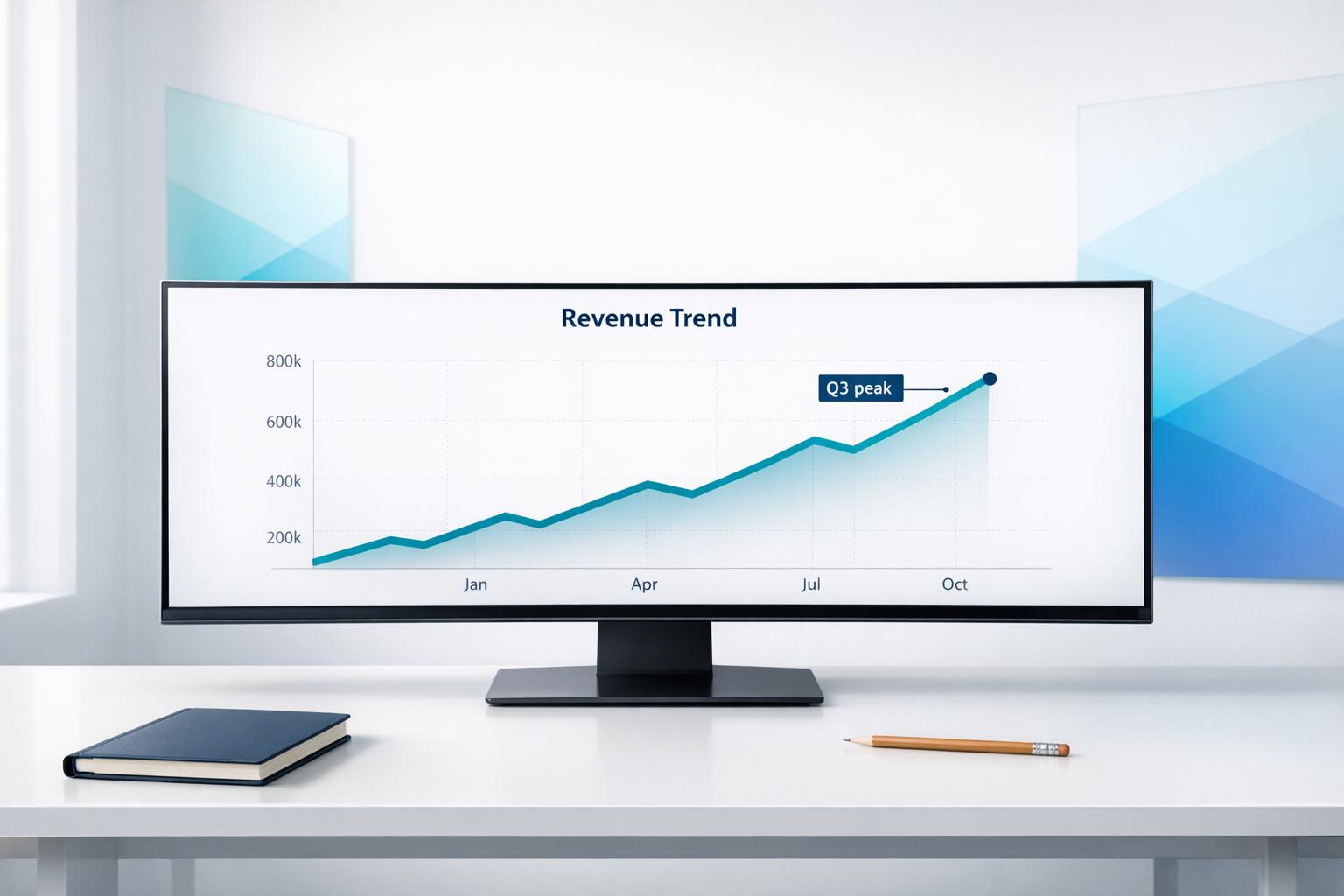
Clear financial charts lead to better decisions. Poor visuals confuse viewers and erode trust, while well-designed charts highlight key insights instantly. This guide lays out practical tips to improve clarity, credibility, and impact in your financial charts:

Financial Chart Design Best Practices: The 5 C's Framework
When it comes to creating effective financial charts, simplicity is the secret weapon. The best charts are those that immediately communicate the data without making the viewer work to understand it. Every element in a chart should serve a purpose. As the CFI Team advises: "If a design element doesn't reinforce your message, remove it" [3].
This isn't just about making charts look good - it’s about making them functional. Studies show that clear, easy-to-read charts are viewed as more credible, and the information they present is considered more reliable [2]. For executives or decision-makers with limited time, a cluttered chart can obscure the very insights you're trying to highlight.
To streamline your chart, start by scrutinizing every non-essential element. Gridlines, borders, and external legends are frequent offenders - they often add clutter without contributing meaning [3]. Instead of relying on a legend that forces viewers to look back and forth, place labels directly on the data points [3][4].
Edward Tufte’s "data-ink ratio" is a great guideline here: prioritize the ink used for actual data and minimize everything else [7]. For example, if you're working with a large dataset like 20+ years of monthly data, you don’t need to label every single point. Focus on key milestones - such as the starting value, high and low points, and the most recent data [7].
When gridlines or axes are necessary, use a subtle color like light gray to keep them from overshadowing the data [3][7]. Overlapping labels can also be a distraction, so adjust spacing to reduce clutter [3]. And forget about decorative elements altogether - what Tufte refers to as "extraneous elements" - since they add no value to understanding the chart [2]. This approach naturally improves the use of white space, making the chart easier to read.
White space isn’t just empty space - it’s a design tool that can significantly enhance clarity. By removing unnecessary borders, shading, and legends, you allow white space to guide the viewer’s focus to the most important insights [3].
If a chart feels overcrowded, consider splitting complex datasets into multiple smaller charts rather than cramming everything into one visual [6]. This not only improves readability but also ensures that each chart communicates a clear message.
The same principle applies to axes. Avoid overloading them with tick marks, but don’t use too few either - it’s all about balance. Stick to regular intervals (multiples of 10, 100, etc.) and avoid combining tick marks with gridlines [5]. When used thoughtfully, white space doesn’t just make your chart look cleaner - it ensures your message stands out clearly and effectively.
In financial charts, color and layout are more than aesthetic choices - they're essential tools for communicating data effectively. When used thoughtfully, color can guide the viewer's attention and reinforce your message. Misusing it, however, can lead to confusion and undermine trust. The key takeaway? Only use color when it serves a purpose [5]. If colors don't have specific meanings, stick to a single color scheme.
To highlight key data points, apply bright or dark colors while keeping everything else muted in neutral tones or shades of gray [5][4]. IBM Design Language emphasizes this approach:
"Shades of grey ensure data points are visible while not distracting from the key insights" [4].
Color conventions in financial charts often follow familiar patterns. For example, green or blue generally represents growth or positive trends, while red, orange, or yellow signals losses, risks, or warnings [5][2]. When crafting your charts, choose a palette that aligns with your story.
Approximately 8% of men and 0.5% of women have some form of color vision deficiency. Relying solely on color could alienate these viewers. To make your charts more inclusive, use redundant coding - combine color with other visual cues like shapes, patterns, or line styles [5][4][8].
For instance:
These techniques ensure that everyone can interpret your data accurately, even if they can't differentiate between colors.
When presenting multiple charts, consistency is non-negotiable. If blue represents a particular group in one chart, it should represent the same group in all charts [9]. Inconsistent use of color forces viewers to relearn your visual language, which wastes time and causes frustration.
Standardize elements like:
Also, use consistent units and intervals (e.g., multiples of 10, 100, or 1,000) across charts [5]. This uniformity creates a cohesive narrative, making it easier for viewers to follow your data story. These principles set the stage for selecting the right chart type in the next section.
When presenting data, matching the right chart type to your dataset is key to delivering clear and actionable insights. The wrong choice can obscure information or even lead to misinterpretations that may impact decision-making. The goal is simple: choose a chart that highlights your data's main takeaway.
Start by asking yourself: What is the primary insight this chart needs to deliver? If you're comparing categories - like revenue across product lines or departmental expenses - bar and column charts work well. For changes over time, line charts are the way to go. And when exploring relationships between two variables, scatter plots can uncover patterns that might otherwise stay hidden.
As the CFI Team puts it:
"Every chart should answer one specific question or highlight a single takeaway." [3]
Bar and column charts are perfect for comparing discrete categories. If your category labels are short and space is tight, vertical column charts are a great fit. On the other hand, horizontal bar charts are better for longer labels, as they avoid awkward text rotations and improve readability. For instance, horizontal bars make it easy to compare regions with lengthy names.
Keep your charts focused. While bar charts can technically handle many categories, sticking to around five makes them easier to digest. [6] If you have more categories, consider combining smaller ones into an "Other" group or breaking your data into multiple charts for clarity.
Line charts excel at showing how data evolves over time. [10] [12] They are especially useful for spotting trends, such as tracking stock prices or revenue changes.
Pamela Gabor, a WordPress Editor, explains:
"Line charts are best suited for showing continuous data over time. They should be used when the passage of time is a key variable, and there are sufficient data points to plot a meaningful pattern." [10]
For just a few time points - like annual data for 2023, 2024, and 2025 - a bar chart might be more effective. But when dealing with more frequent intervals, such as monthly data over two years, line charts help connect the dots and reveal trends. To avoid overwhelming your audience with a "spaghetti chart", limit the number of data series to two or three. [10] If you need to compare more, consider breaking them into separate charts or using small multiples - mini-charts arranged side by side.
Scatter plots are your go-to for analyzing relationships between two variables. Each point represents a single observation, with one variable on the x-axis and the other on the y-axis. This format is excellent for identifying clusters, trends, or outliers. For example, plotting marketing spend against ROI across campaigns can reveal whether increased spending translates into better returns - or if there's a point where returns diminish. Similarly, investors can use scatter plots to compare risk scores with expected returns, helping them spot opportunities that balance risk and reward.
Want to add another dimension? Use a bubble chart, where the size of each point represents a third variable. [11]
| Data Goal | Recommended Chart | Financial Example |
|---|---|---|
| Comparison (Static) | Bar / Column Chart | Revenue by product category |
| Trend Over Time | Line Chart | Stock price fluctuations |
| Correlation | Scatter Plot | Marketing spend vs. ROI |
Choosing the right chart type is the first step in creating a clear and compelling data narrative. It sets the stage for more detailed analysis in later sections.
Crafting a financial chart that communicates effectively requires striking the right balance between detail and simplicity. The key is to present a single, clear message without overwhelming your audience. Overloading a chart makes it harder for viewers to grasp the main insight. Instead, focus on delivering one primary takeaway while offering additional details as optional layers.
One way to achieve this is by maximizing the data-ink ratio - ensuring that most of the visual elements in your chart represent data rather than unnecessary decorations. As the CFI Team suggests, remove anything that doesn’t support your core message [3]. This doesn’t mean stripping your analysis down to the bare bones; it’s about being deliberate with what you present upfront and what you reserve for further exploration. Simplifying complex data when appropriate is another step toward creating clarity.
Ask yourself: What is the one thing this chart needs to convey? For example, if you’re showing revenue across 15 product lines, your audience doesn’t need to see all 15 broken down individually. Instead, group smaller categories into an “Other” bucket so the focus remains on the top-performing products [5]. The same principle applies to time-series data. Rather than labeling every month over a 20-year span, highlight pivotal points - such as the starting value, peaks, troughs, and the most recent data point [1].
To keep your chart digestible, limit it to no more than five data types - like lines, bars, or slices [6]. If your analysis requires more detail, split it into multiple charts. For instance, instead of squeezing revenue, EBITDA, and headcount into one crowded visual, create three separate charts. Each chart can then tell its own story, reducing cognitive overload and making it easier for your audience to absorb the information. For those seeking additional insights, interactive elements can provide a deeper dive without cluttering the initial view.
Interactive features, such as tooltips and time sliders, allow you to provide both a clean overview and additional depth for those who want to explore further. Tooltips are particularly effective for simplifying complex datasets - they keep secondary details hidden until the user hovers over a specific data point [13]. For example, a quarterly revenue chart might display a simple trend line, while hovering reveals precise dollar amounts and percentage changes.
IBM’s framework - "Overview first, zoom and filter, then details on demand" - captures this concept beautifully [4]. Begin with the most critical insights, then offer tools for deeper exploration. Time sliders are especially useful for financial data spanning several years, enabling viewers to toggle between 1-year, 3-year, or 5-year views without losing the broader historical context [6]. However, it’s crucial to ensure that essential insights remain visible without interaction. Tooltips, for instance, don’t work in print and can be cumbersome on mobile devices. Anything critical to understanding the chart’s main message should always be visible, regardless of the medium [13].
| Strategy | Purpose | Implementation |
|---|---|---|
| Clarity | Focus on one message | Highlight a single takeaway per chart [3] |
| Context | Explain the "Why" | Use annotations to pinpoint specific events [3] |
| Contrast | Guide the eye | Use color or bold text sparingly to emphasize key insights [3] |
| Consistency | Build trust | Maintain uniform fonts, colors, and number formats across reports [3] |
Effective financial charts do more than just display numbers - they tell a story that drives decisions. Once you've nailed the basics of clarity and simplicity, you can use advanced methods to make your charts not only informative but also persuasive. By weaving a narrative into your data and using visual elements strategically, you can turn raw numbers into insights that stick.
Start by identifying the decision your audience needs to make, and design your chart to support that goal [2]. A strong financial chart doesn’t just show "what" is happening; it explains "why." For instance, if revenue drops, add annotations to clarify whether it’s due to a lost contract, economic shifts, or seasonal trends [3][10]. This storytelling approach builds on the principles of clarity and simplicity, making your charts more impactful.
Titles are another key element. Use active, descriptive titles that highlight your main takeaway. Instead of a generic label like "Quarterly Revenue Trends", opt for something like "Revenue and EBITDA Are Declining Sharply" [14]. Gene Zelazny captures this idea perfectly:
"A chart is a sentence, not a picture of data." [14]
If you were to cover the chart and only read the title, the main message should still come through loud and clear. This approach ensures your audience understands the insight without having to decode the data themselves.
The 5 C's framework - Clarity, Clutter, Context, Consistency, and Contrast - offers a simple checklist for creating persuasive charts [3]. Stick to one main message per chart, remove unnecessary details, and add annotations to highlight key turning points. For presentations, reveal complex charts in stages to guide your audience through the story [10].
Research backs this up: people trust information more when it’s easy to read and understand [2]. Even small changes in how you frame data can make a difference. For example, saying "one in four" often resonates more emotionally than "25 percent" [2]. By focusing on storytelling, you turn your data into insights that drive decisions.
Once you’ve built your narrative, use visual contrast to emphasize what matters most. Highlight key data points with a single high-contrast color, while keeping other elements subdued [14]. This ties back to earlier advice about using color intentionally and maintaining consistency.
Direct labeling is another powerful tool. Place data values directly next to their visual elements to eliminate the need for a legend [14]. Focus on labeling critical points - like the starting value, peaks, troughs, key changes, and the latest data [10][14] - to avoid overwhelming your audience with too much detail.
Annotations and callouts add depth by explaining the "why" behind sudden changes. Use arrows or callout boxes to mark specific events, such as the date a CEO was appointed or when a major contract was lost [10]. These annotations should clarify anomalies or highlight pivotal moments.
To keep charts clean and readable, limit bar charts to seven bars or fewer [12]. For line charts, stick to two or three data series at most [10]. If you have more information to present, break it into multiple charts rather than cramming everything into one. The goal isn’t to show every piece of data - it’s to spotlight the numbers that matter most for decision-making.
Great financial charts don’t aim to show everything - they aim to deliver clear insights that drive action. The principles outlined in this guide focus on simplifying visuals to make the message stand out. By removing unnecessary details, using color wisely, and adding helpful annotations, you can turn raw numbers into visuals that leave a lasting impression.
The 5 C’s framework - Clarity, Clutter reduction, Context, Consistency, and Contrast - serves as a practical roadmap for crafting effective charts [3]. Stick to one primary message, eliminate distractions, explain the reasoning behind trends, maintain consistent formatting, and use visual cues to highlight key points. These aren’t just aesthetic choices; they’re proven methods to build trust and enhance the credibility of your analysis. This framework ties together the strategies discussed earlier, ensuring your charts resonate with your audience.
"Even the strongest financial analysis can be overlooked if your visuals don't make sense." - CFI Team [3]
Simplicity doesn’t mean oversimplifying your data; it’s about respecting your audience’s time and mental effort. Small adjustments - like starting bar charts at zero, minimizing the number of data types, and using direct labels - can make a big difference. These thoughtful choices create visuals that are easy to understand and inspire confidence.
Picking the right chart depends on a few key factors: the type of data you're working with, the message you want to convey, and who will be viewing it. For instance:
The goal is to ensure your chart not only matches the story you're telling but is also simple for your audience to interpret. Clear alignment between your data and message is what makes a visualization effective.
Choose colors that are visually distinct and fit the context of your data. For instance:
Always ensure there’s enough contrast between colors to make important details stand out. This makes your visuals easier to interpret and ensures that the key takeaways are clear. Stick to simple and clean designs - too many colors or overly complex schemes can overwhelm the viewer and dilute the message.
When creating charts, aim to include only elements that clarify and support your main message. Avoid cluttering the design with excessive gridlines or purely decorative features. Use labels that are clear and to the point, and emphasize key data points with thoughtful use of color or size. By prioritizing the data-ink ratio - removing any unnecessary details - you can ensure your chart stays clean, informative, and easy to understand.
%20(5).png)
